File Validation

The user chooses a directory in which to perform file validation and specifies a JSON file containing the rules to be applied for the checks.
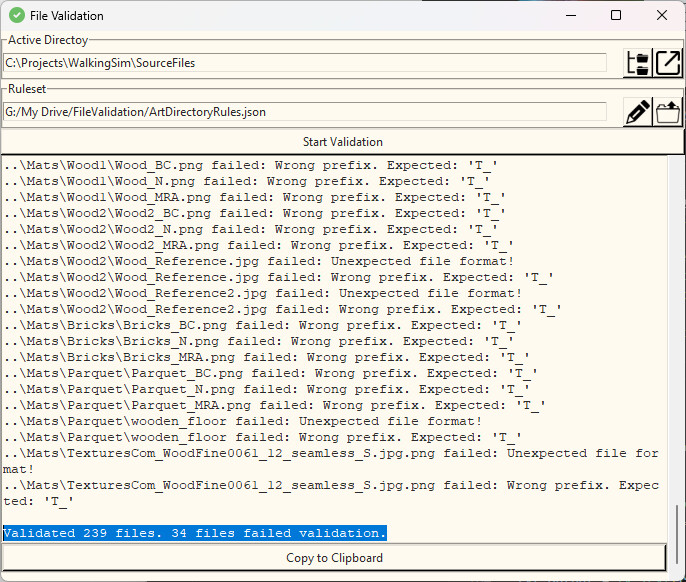
The tool starts in light or dark mode depending on the current Windows settings.

The tool can also be run using a batch file. This makes it easy to set up validation for several directories with adjusted rules and run identical validation tests daily. The results are saved to text files.
File Validation
File validation is an often overlooked yet critical step in game development as it helps catch issues in game assets early in the production cycle. Unfortunately, there is a scarcity of available tools for this purpose, prompting me to develop my own versatile validation tool. This tool reads validation rules from a JSON file and systematically checks all files within the designated directory against these rules. Presently, it performs checks for:
- Forbidden strings in file names (enforcing naming conventions).
- Prefixes defined per file format
- The use of prohibited file formats.
- Maximum file size defined per file format
The option to check meta data attributes like resolutions, bit depths, frame rates, etc is currently WIP
The tool then generates a comprehensive list of files that have violated one or more rules, accompanied by detailed explanations of the violations. These results can be conveniently copied to the clipboard for further analysis in advanced text editors.
For more intricate use cases, the tool offers a headless mode, allowing command-line or batch script integration.